What It Does
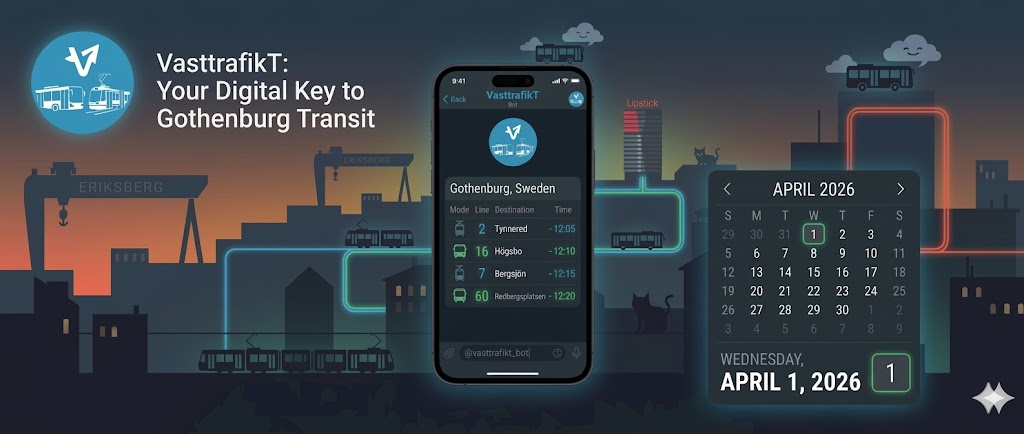
VasttrafikT is a Telegram bot (@vasttrafikt_bot) and an accompanying Mini App (vtt.tdwg.fi) for checking real-time departures and planning trips on Gothenburg’s public transit. I built it because I wanted something faster than opening the Vasttrafik app every time I needed to check when the next tram leaves.
Type /a brunnsparken and you get a live departure board. Type /r brunnsparken till lindholmen and you get trip suggestions. Or open the Mini App inside Telegram and tap your way through it.
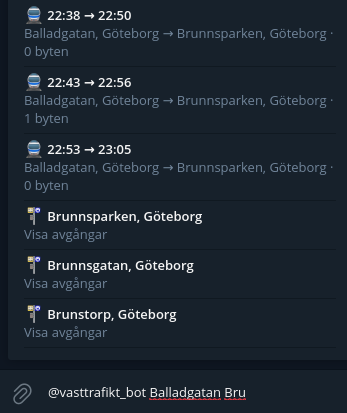
Inline query showing journey results directly in any Telegram chat.
Architecture: One Process, Two Interfaces
The interesting design decision here is that the bot and the web app share a single Python process. bot.py runs two things on the same asyncio event loop:
- A
python-telegram-botapplication (commands, inline queries, callbacks) - An
aiohttpweb server on port 8080 (REST API + static file serving)
Telegram Bot API (polling)
    |
    v
bot.py (single asyncio event loop)
    |
    +-- python-telegram-bot (commands, inline, callbacks)
    +-- aiohttp web server (:8080)
    |       +-- /api/stops, /api/departures, /api/journeys
    |       +-- /webapp/ (static SPA)
    |
    +-- Vasttrafik API client (shared, OAuth2 token cache)
    |
    v
Vasttrafik Planera Resa v4 (ext-api.vasttrafik.se)
Both interfaces share the same Vasttrafik API client, which handles OAuth2 client credentials flow: fetch a bearer token on startup, cache it in memory, refresh before expiry. No database, no Redis, no external state. The token lives in a Python variable and the refresh is a simple timestamp check before each API call.
I chose this single-process design over separate bot and API containers because the two components share no mutable state beyond the OAuth2 token. Running them together eliminates inter-process communication overhead, simplifies deployment (one container, one healthcheck), and means the Vasttrafik API client with its token cache does not need to be externalized.
The tradeoff is that if the web server crashes, the bot goes down too. In practice this has not been an issue since aiohttp and python-telegram-bot are both mature libraries with solid error handling.
The REST API
The API is minimal, four endpoints:
| Endpoint | Description |
|---|---|
GET /api/stops?q=<query> |
Search stops by name |
GET /api/departures/<gid> |
Live departures for a stop |
GET /api/journeys?from=<gid>&to=<gid> |
Journey options |
GET /api/health |
Health check |
Each endpoint wraps one or two Vasttrafik API calls with error handling and response shaping. The departure endpoint maps Vasttrafik’s verbose response format into a flat list with line number, direction, platform, scheduled time, and real-time deviation. The journey endpoint reduces each trip to a list of legs with departure/arrival stops, line info, and walking segments.
The Mini App
The web frontend is a vanilla JavaScript single-page app. No React, no Vue, no build step. Just ES modules with client-side hash routing, CSS transitions, and localStorage for recent searches.
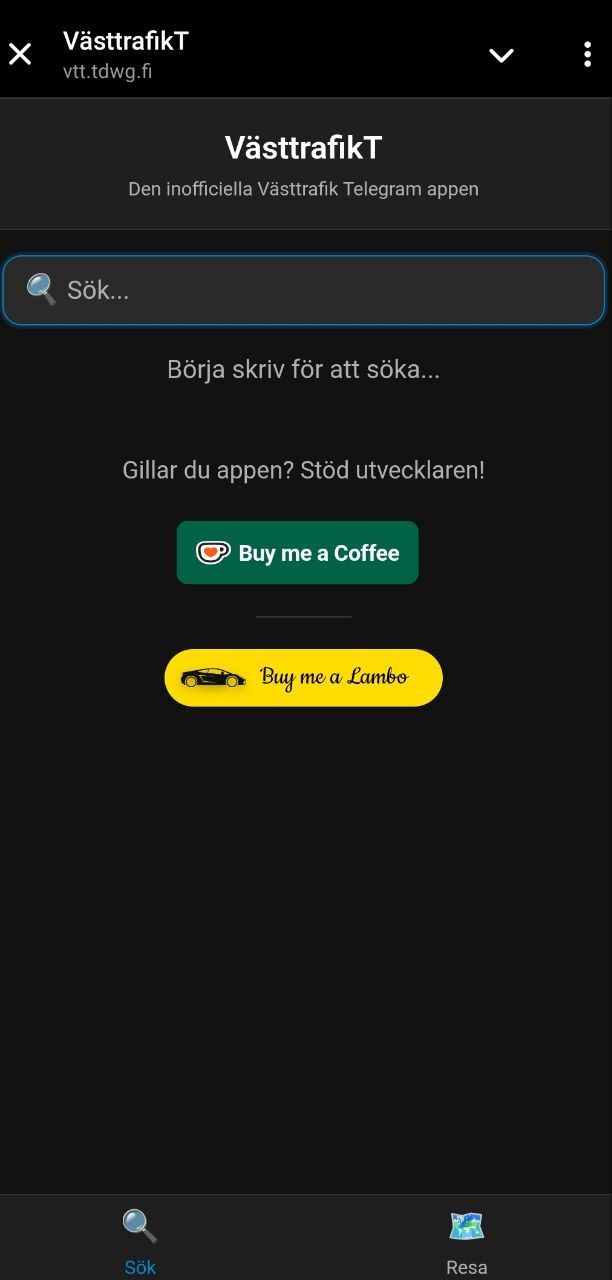
Mini App home screen with stop search and recent stops.
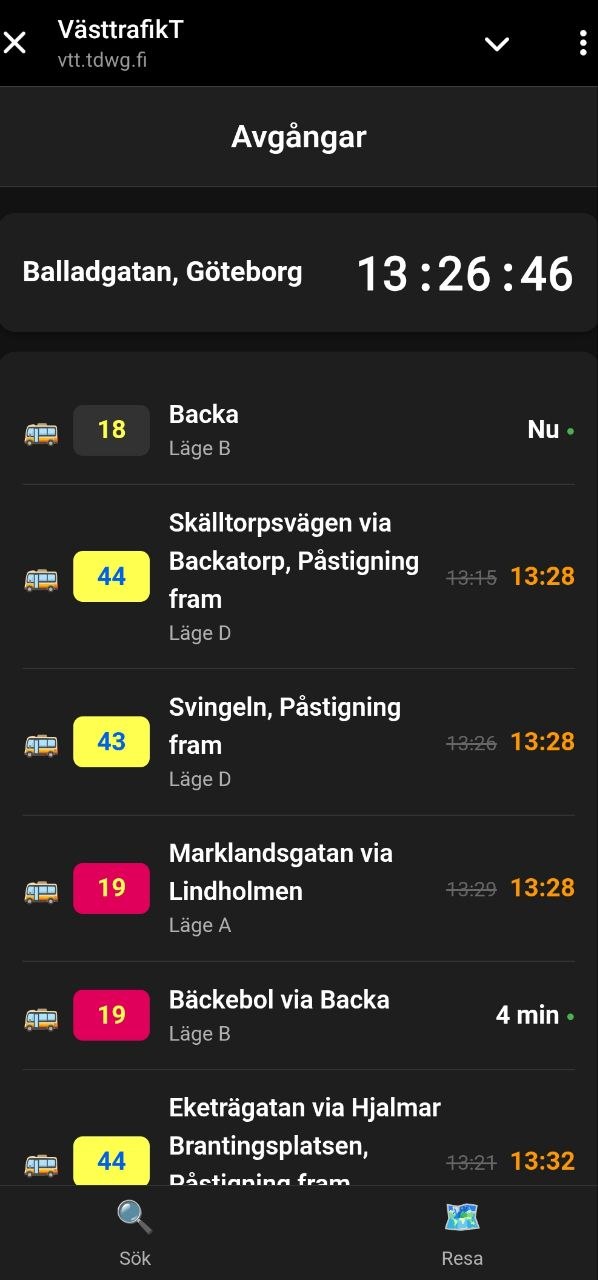
Live departure board with line colors, platforms, and real-time delay indicators.
The decision to skip frameworks was intentional. The Mini App loads inside Telegram’s WebView (basically an embedded Chromium with some extra JS bridges). Every kilobyte of framework JavaScript adds to the initial load time inside that WebView. With vanilla JS the page loads near-instantly.
The file structure is straightforward:
webapp/
├── index.html
├── css/                 # split by concern (variables, base, components, views)
└── js/
    ├── app.js           # hash router, view lifecycle
    ├── api.js           # REST API client
    ├── telegram.js      # Telegram WebApp SDK wrapper
    ├── storage.js       # localStorage helpers
    └── views/           # search, departures, journey, donate
app.js implements a simple hash router (#/departures/<gid>, #/journey, etc.) that mounts and unmounts view modules. Each view is a JS module with init() and destroy() functions. The bot can link directly to a specific departure board by passing a URL like vtt.tdwg.fi#/departures/9021014001760000 to the Mini App button.
telegram.js wraps the Telegram WebApp SDK and provides graceful degradation. If the SDK is not available (standalone browser), the app still works, it just does not have access to Telegram-specific features like the back button or theme colors.
Bot Features
The bot supports three interaction patterns:
Commands like /avgang brunnsparken (or the shorter /a) show a departure board as a Telegram message with inline buttons for refresh, pagination, and switching between list and table views.
Inline queries let you type @vasttrafikt_bot centralstationen in any chat (even group chats) and get stop suggestions. Selecting one inserts a departure board as a shared message. You can also type @vasttrafikt_bot haga till lindholmen to get journey results inline.
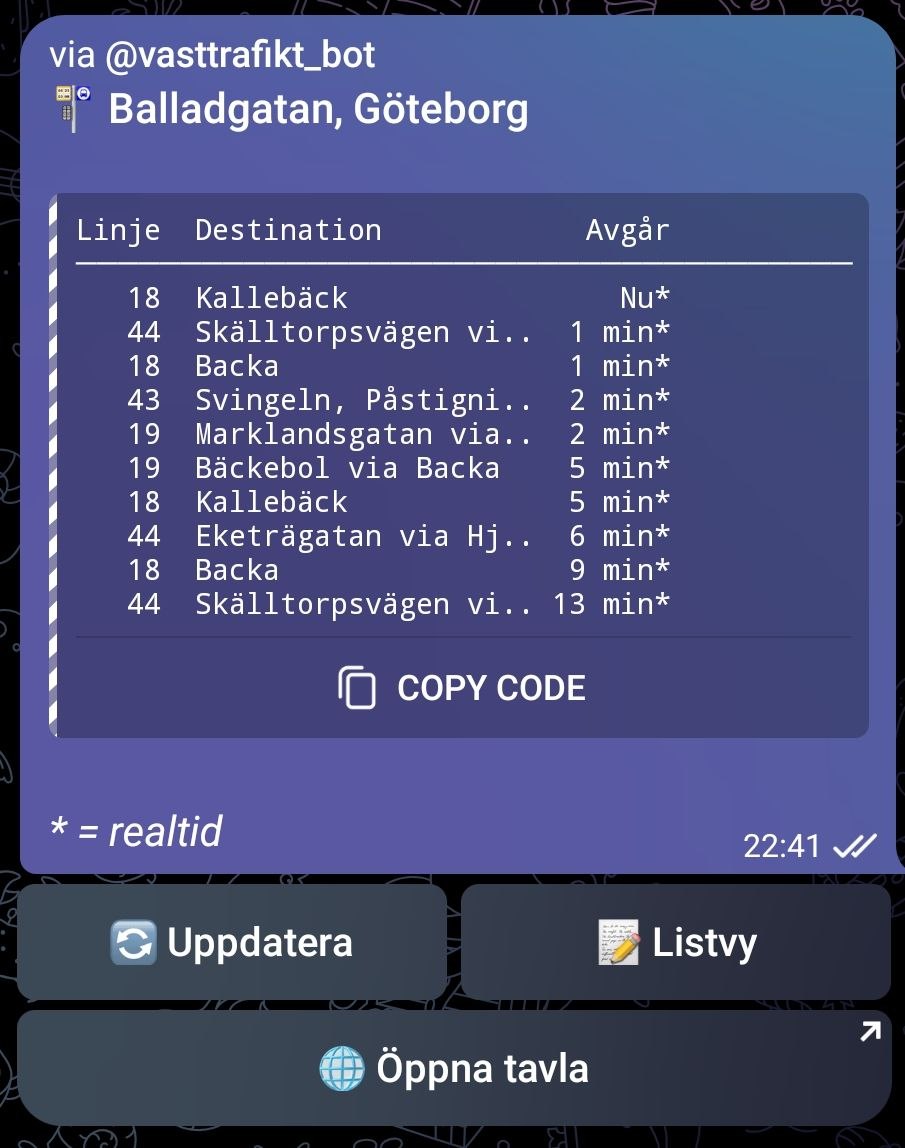
Departure board in compact table view with real-time indicators.
Callbacks handle the interactive buttons on departure boards and journey results. Each button press triggers a callback query that edits the existing message in place, so the user sees the board update without a new message appearing.
The /resa (journey) command parses natural-language-ish input: it splits on till, ->, -, or to to extract origin and destination. If either stop name matches multiple results, the bot presents an inline keyboard to disambiguate before fetching journeys.
Deployment
One Docker container behind Traefik:
services:
  vasttrafikt:
    build: .
    environment:
      - BOT_TOKEN=${BOT_TOKEN}
      - VASTTRAFIK_CLIENT_ID=${VASTTRAFIK_CLIENT_ID}
      - VASTTRAFIK_CLIENT_SECRET=${VASTTRAFIK_CLIENT_SECRET}
    labels:
      - traefik.enable=true
      - traefik.http.routers.vtt.rule=Host(`vtt.tdwg.fi`)
      - traefik.http.routers.vtt.tls.certresolver=letsencrypt
The Dockerfile uses a Python 3.12 Alpine base, installs dependencies from requirements.txt, and runs bot.py directly. No WSGI server, no Gunicorn, the aiohttp server handles everything. TLS is terminated by Traefik with automatic Let’s Encrypt certificates.
You need two sets of credentials: a Telegram bot token from @BotFather, and OAuth2 client credentials from developer.vasttrafik.se with access to Planera Resa v4.
How It Was Built
I designed the architecture (single-process, shared OAuth2 client, vanilla JS frontend) and built this with Claude Code handling a large part of the Python and JavaScript implementation. The API integration, OAuth2 flow, and Telegram command parsing were largely AI-generated with me reviewing and adjusting. The architectural decisions were mine.
Conclusion
This is still a work in progress, there are features I want to add and rough edges to smooth out. But the bot has been running stable since launch, and the Mini App loads fast enough that it feels native inside Telegram.
Try it out:
- Bot: @vasttrafikt_bot on Telegram
- Mini App: vtt.tdwg.fi
- Source: github.com/tdwgm/VasttrafikT